Visibility Without Strategy Is Expensive
If you run a high-end architecture or interior design studio, you already know this: clients aren’t finding you in magazines first—they’re finding you on Google.
The problem? Too many studios are paying for SEO that looks good on paper but doesn’t bring in qualified inquiries from high-value clients.
Generic SEO might deliver traffic reports, blog posts, or vanity rankings. But it rarely delivers what matters most:
- Clients searching for “luxury residential architect in Mumbai”
- Developers scouting “hospitality design firms in Goa”
- Families comparing “modern interior designers in Delhi”
At Adswom, we’ve audited hundreds of SEO campaigns for design studios. And the pattern is always the same: generic SEO bleeds money, time, and opportunity. This blog breaks down why—and what to do instead.
Why Your Studio’s SEO Isn’t Working — And What Generic SEO Gets Wrong
Generic SEO = one-size-fits-all playbooks. It’s built for anyone and everyone—dentists, gyms, SaaS, ecommerce—not for luxury design firms.
Common traits of generic SEO:
- Broad keyword targeting based on volume, not intent
- Blog topics written for traffic, not leads
- Ignored portfolios (visuals left unoptimized)
- Standard technical checklists with no design nuance
- Reporting focused on clicks, not consultations
These tactics are fine for businesses with low-ticket sales and fast buying cycles. But for architecture and interior design, they’re useless.
Your clients aren’t impulse buyers. They’re investing six or seven figures. That means your SEO has to:
- Mirror your design philosophy
- Showcase your authority and experience
- Guide clients through a long, trust-based decision cycle
Generic SEO ignores all of that.
What Your SEO Strategy Should Actually Look Like for High-End Design Firms
Design firms don’t operate like ecommerce brands. You’re not selling sneakers—you’re selling vision, trust, and long-term partnerships.
That’s why your SEO has to align with:
- Client psychology: Affluent clients search differently (“bespoke villa architect” vs “cheap interior ideas”)
- Portfolio discoverability: If your images aren’t optimized, Google can’t see your best work
- Local dominance: High-value projects are regional—SEO must lock you into your geography
- Brand authority: Clients don’t just hire skills—they hire reputation
At Adswom, we built the Search-to-SQL Framework for exactly this reason: to connect search visibility → sales qualified leads (SQLs).
A Strategic SEO Approach Built for Design Firms: The Search-to-SQL Framework
Here’s what specialised SEO actually looks like for a high-end studio:
✅ Search Strategy Built Around Buyer Intent
We map how real clients search—“sustainable architecture in Bangalore,” “luxury interior design for penthouses in Gurgaon”—and align content to capture that demand.
✅ Portfolio-First Content That Converts
Case studies, project narratives, and style-specific landing pages that show off your work and rank for the right terms.
✅ Technical SEO for Visual-Heavy Sites
We optimize large images, videos, and galleries so they load lightning-fast while remaining crawlable and indexable.
✅ Conversion-Ready UX
Strong CTAs, inquiry forms, and trust signals—so every visitor has a clear path from browsing to booking.
✅ Revenue-Centric Reporting
No more vanity traffic reports. We track consultations booked, qualified leads, and pipeline value—not just clicks.
Wondering if your current SEO is actually helping your pipeline?
👉 Get a Free Visibility Diagnostic
— We’ll show you what’s working, what’s broken, and what it would take to attract qualified project inquiries. No pitch. Just clarity.
SEO Pricing for High-End Studios: What It Costs—and What You Get
Here’s the truth: specialised SEO isn’t cheap. But neither is wasted spend on generic campaigns.
Typical Investment: $3,000–$10,000+/month depending on:
- Portfolio size and content depth
- Number of services / geographies targeted
- Competitiveness of niche (luxury residential vs hospitality vs sustainability)
- Reporting depth and pipeline tracking
Generic SEO often looks cheaper, but the hidden cost = 12–18 months of wasted time, zero ROI, and lost market share.
Specialised SEO delivers an asset: a system that compounds visibility and pipeline value month after month.
Why Specialised SEO Delivers ROI That Paid Ads Can’t Match
Generic SEO = activity. Specialised SEO = assets.
With ads:
- You stop spending → visibility dies
- Acquisition costs rise with competition
- Trust is limited (clients skip ads)
With specialised SEO:
- Each page, case study, and landing page is a permanent asset
- Cost per acquisition drops as rankings compound
- Brand authority builds over time
Case in point:
- A boutique studio tripled inquiries in 12 months using location-based SEO
- A luxury interior firm closed $100K+ projects from organic leads
- A sustainable design practice won its first commercial deal ranking for “eco-architects Bangalore”
Generic SEO vs Specialised SEO for High-End Design Studios
Generic vs Specialised SEO: A Side-by-Side Reality Check
| SEO Element | Generic SEO (What You’re Sold) | Specialised SEO (What Actually Works for Design Studios) |
|---|---|---|
| Keyword Targeting | Chasing broad, high-volume terms like “home design ideas” → lots of unqualified traffic. | Intent-driven keywords tied to services, style, and location: “Luxury residential architect in Dubai”, “Boutique hospitality design Goa.” |
| Content Strategy | Blog mills pumping out “Top 10 Interior Trends” posts → no clients read them. | Case studies, service pages, and thought-leadership guides that align with how affluent clients actually research firms. |
| Visual SEO | Images left unoptimized (huge file sizes, no alt text, no schema). | Portfolio-first optimization: compressed images, descriptive alt text, schema markup for projects, and lightning-fast galleries. |
| Conversion Focus | Reports traffic numbers, ignores what happens after the click. | Builds inquiry funnels with CTAs, service landing pages, and lead forms tuned for high-value projects. |
| Reporting Metrics | Vanity KPIs: rankings, impressions, generic “visibility.” | Revenue metrics: SQLs, consultations booked, pipeline growth per service/location. |
| Industry Knowledge | “We do SEO for everyone — dentists, SaaS, ecommerce.” | 100% focus on architecture & design. Every keyword, blog, and technical fix is crafted for your market. |
| ROI | Burn months of budget on irrelevant traffic. | Compounding visibility → qualified project leads → signed contracts. |
If your agency’s SEO looks like the left column — you’re burning cash. If you want SQLs, you need the right column.
Frequently Asked Questions
Q1: Why is generic SEO not effective for architecture or interior design firms?
Because it ignores long sales cycles, affluent client intent, and portfolio-driven decision-making. High-end studios need a specialised strategy built for trust and authority.
Q2: How much should a high-end design studio invest in SEO services?
$3,000–$10,000+/month is typical. Anything less rarely covers advanced image SEO, portfolio optimization, content strategy, and reporting that matters.
Q3: What are the SEO priorities for high-end studios?
Visual SEO (images, schema, galleries)
- Local SEO for affluent markets
- Authority content (case studies, guides)
- Trust signals (awards, media features, testimonials)
Q4: Can SEO really drive project inquiries for luxury firms?
Yes—when it’s specialised. SEO for design isn’t about traffic volume; it’s about attracting decision-ready clients searching for high-value projects.
Q5: What’s the ROI of SEO compared to paid ads?
SEO delivers lower Client Acquisition Costs (CAC) over time. Ads stop when you stop paying; SEO builds lasting visibility and trust.
Q6: How does visual SEO impact design firms?
Your portfolio is your pitch. Optimized images, structured data, and fast load speeds mean your best work actually gets discovered—instead of buried.
Don’t Pay for Activity. Invest in Outcomes.
Generic SEO treats your studio like a blog. We treat it like a business.
If your SEO spend isn’t delivering qualified project leads, it’s not a bargain—it’s a liability.
At Adswom, we specialize in Search-to-SQL SEO for high-end architecture and design studios. We turn visibility into revenue.
👉 Book Your Free Visibility Diagnostic
— see exactly what’s holding your SEO back, and how to fix it.
Beautiful Portfolios Don’t Pay the Bills
Let’s start with a brutal truth:
You don’t lose projects because your design isn’t good enough. You lose them because Google can’t see you.
Your studio may have:
- A stunning website.
- Award-winning portfolios.
- Years of credibility built offline.
But if you’re relying on generic SEO tactics, your brilliance is invisible when it matters most—when high-value clients are actively searching for someone like you.
And here’s the kicker: most architecture and design firms don’t even realize the problem is their SEO agency. They think, “Maybe SEO just doesn’t work for us.” Wrong.
The reality?
- Generalist SEO agencies miss the mark.
- Generic SEO for architecture firms creates noise, not leads.
- The longer you stick with them, the more money you burn.
This guide will show you:
- Why general SEO fails designers.
- The hidden costs you’re paying (whether you know it or not).
- What specialised SEO looks like when it’s done right.
- How Adswom’s Search-to-SQL Framework turns visibility into a pipeline of qualified project leads.
Generalist SEO: Why It Looks Good on Paper but Fails in Reality
Generalist SEO agencies sound convincing. They show you checklists:
- “We’ll do keyword research.”
- “We’ll write blogs.”
- “We’ll build backlinks.”
- “We’ll optimize your site.”
On paper, it looks complete. In practice, it’s copy-paste SEO designed for dentists, ecommerce brands, gyms, SaaS startups, plumbers, and law firms.
But here’s the truth: architects and designers don’t sell products. You don’t sell “more clicks.” You sell:
- Vision.
- Trust.
- Aesthetic authority.
- High-value, long-term projects.
That means your SEO has to:
- Reflect your design voice and portfolio.
- Attract serious prospects—not hobbyists browsing Pinterest.
- Work with longer sales cycles where trust is built over time.
Generic SEO doesn’t do any of that. It delivers reports full of “traffic growth” while you sit there thinking: “Why aren’t we getting inquiries?”
The result: traffic without traction.
The Client Journey Mismatch: Why Design Firms Need Specialised SEO
If you sell shoes online, SEO is simple. Show up for “Nike Air Max discount” and boom—conversion.
But architects and designers? Totally different. Here’s what your client journey actually looks like:
- Initial Curiosity → Searching for inspiration (“modern villa designs”).
- Narrowing Down → Comparing firms (“boutique architecture firm in Delhi”).
- Trust Building → Reading case studies, testimonials, and media mentions.
- Decision Stage → Booking a consultation or discovery call.
Now here’s what generalist SEO does:
- Targets high-volume generic keywords (“interior design ideas”).
- Pumps out text-heavy blogs no client reads.
- Ignores case studies, portfolio optimization, and testimonials.
- Completely misses the local and style-specific searches that actually drive projects.
👉 That’s why general SEO fails designers: it doesn’t map to how your clients actually search, evaluate, and hire.
The 5 Hidden Costs of Generic SEO for Design Studios
Generalist SEO isn’t neutral. It actively costs you opportunities. Let’s break it down.
1. Misaligned Keyword Strategy = Empty Traffic
Generic SEO targets “big” keywords: architecture firm, interior design, house plans.
Looks impressive on a ranking report. Converts nobody.
What works for design firms?
- Localized searches: “residential architect in Ahmedabad”.
- Style-specific terms: “minimalist luxury interior design Mumbai”.
- Service-aware queries: “turnkey resort architecture services Goa.”
👉 Generic SEO chases volume. Specialised SEO earns intent.
2. Content Without Visuals = Zero Resonance
Generalist SEO = “publish 10 blogs per month.”
Problem: design clients don’t care about blogs like “Top 10 Interior Paint Trends.”
What they want:
- Project case studies.
- Before-and-after galleries.
- Client testimonials.
- Design philosophy explained.
General SEO produces content that ranks but doesn’t resonate. Specialised SEO turns your portfolio into a sales engine.
3. Weak Technical SEO = Slow, Broken Portfolios
Design websites are image-heavy. That’s a feature, not a bug. But generalist SEO doesn’t know how to handle it.
The result?
- Slow load times.
- Mobile pages that break.
- Images Google can’t index.
Specialised SEO fixes this with:
- Modern formats (WebP, AVIF).
- Lazy loading done right.
- Structured data for projects.
- Portfolio-first technical optimization.
For design firms, performance is part of perception.
4. Irrelevant Backlinks = No Authority
Generic SEO link-building = directories, lifestyle blogs, random guest posts.
Specialised SEO link-building = authority placements like:
- Dezeen
- ArchDaily
- Houzz
- Local collaborations (builders, suppliers, real estate firms)
👉 One irrelevant link = noise. One authoritative link = trust signal.
5. Ignored Local SEO = Missed Clients
Most projects are local. Clients search “modern architect near me” or “luxury home designer in Gurgaon.”
Generalist SEO barely touches local. Specialised SEO doubles down with:
- Google Business Profile optimization.
- Location-specific landing pages.
- Hyperlocal keyword targeting (by neighborhood/zone).
- Visual-first reviews and testimonials.
👉 Local SEO isn’t optional. For design firms, it’s the front door.
Generic vs Specialised SEO: The Side-by-Side Reality Check
| SEO Element | Generic SEO (Fails Designers) | Specialised SEO (Built for Designers) |
|---|---|---|
| Keywords | Broad, volume-first terms (interior design ideas). | Location + service + style (luxury architect in Dubai). |
| Content | Text-heavy blogs, generic guides. | Case studies, portfolio-first storytelling, testimonials. |
| Technical | Basic audits only. | Image compression, schema, mobile UX, portfolio optimization. |
| Backlinks | Directories, random guest posts. | Authority links from design ecosystem (Dezeen, ArchDaily). |
| Local SEO | Minimal focus. | Hyperlocal targeting, GBP, neighborhood landing pages. |
| Metrics | Rankings + traffic. | SQLs, consultations, revenue pipeline. |
👉 If your SEO looks like the left column, you’re paying for activity, not results.
The Business Cost: What You Lose by Staying Generic
Here’s the hidden math no generalist agency will show you:
| Year | Clients (Specialised SEO) | Clients (Generic SEO) | Revenue Gap (Est.) |
|---|---|---|---|
| Year 1 | 12 | 2 | $30K–$40K |
| Year 2 | 24 | 6 | $80K–$100K |
| Year 3 | 36 | 10 | $120K–$150K |
Generic SEO doesn’t just cost you fees. It costs you projects, revenue, and market share.
What Designers Should Demand From an SEO Partner
Stop settling for traffic. Start demanding traction.
Here’s your checklist:
- Niche Experience → Proven SEO for architecture & design.
- Visual SEO Fluency → Portfolios treated as content assets.
- Technical + Aesthetic Balance → Speed without breaking design.
- Lead-Centric Metrics → SQLs, consultations, proposals.
- Authority Content → Project stories, trend reports, client interviews.
If your agency can’t check these boxes, they’re not building your visibility. They’re burning your budget.
Why General SEO Fails Designers
Q1. Why do generalist SEO agencies miss the mark?
Because they chase traffic volume, not client intent. They ignore visuals, local nuance, and trust signals.
Q2. What are the disadvantages of generic SEO for architecture firms?
Broad keywords, weak local presence, poor image optimization, irrelevant backlinks, zero conversion focus.
Q3. How long until specialised SEO shows results?
Rankings shift in 3–4 months; SQLs and ROI compound over 6–12 months.
Q4. What content actually works for design SEO?
Case studies, localized service pages, portfolio galleries, and client storytelling.
Q5. Why partner with Adswom?
Because we don’t do SEO for “everyone.” We built Search-to-SQL exclusively for architects and design firms—turning visibility into signed projects.
Generalist SEO Is a Leak. Specialised SEO Is a Pipeline.
Generic SEO isn’t harmless—it’s expensive. It sends the wrong traffic, ignores the right clients, and undercuts the very assets that win projects.
Specialised SEO flips the script. It builds a pipeline of qualified leads that compounds over time. It aligns with how design clients actually search, evaluate, and hire.
At Adswom, we don’t chase vanity traffic. We built Search-to-SQL to deliver Sales Qualified Leads for architects and designers.
👉 Book Your Free Visibility Diagnostic →
No fluff. No generic reports. Just a clear roadmap from search to signed projects.
How to make your design portfolio discoverable — without killing the aesthetics
Your gallery looks stunning. Full-screen hero shots, silky scroll, perfect spacing. But here’s the blunt truth:
Google can’t “see” beauty.
It parses HTML, reads text, and follows links. If your gallery is a javascript-driven slideshow with background images and no descriptive copy — Google treats it like invisible decoration. That means fewer impressions, fewer clicks, fewer inquiries.
This guide gives you a practical, step-by-step system to turn your image gallery into an SEO asset: crawlable, fast, and built to convert. No hand-waving. No jargon you don’t need. Just what works for architects and design studios.
Quick overview — what this will cover
- Why image SEO matters (the business case)
- The technical foundations you must fix now
- Copy + metadata that actually helps your ranking
- Performance best practices (speed, lazy loading, responsive images)
- Advanced boosts: sitemaps, schema, backlinks, and sharing
- Real-world checklist + tools you can use today

1. The business case: why image SEO matters for studios
Your portfolio isn’t art for art’s sake — it’s the top of your sales funnel.
- Google Image Search drives high-intent discovery for visual queries (e.g., “mid-century villa façade,” “open-plan kitchen island with skylight”).
- Images that rank lift the visibility of the page they sit on — which means more qualified site visits.
- A single well-optimized project page can generate leads for years — no ad spend required.
- Press pickups and social pins happen to sharable images; they create backlinks and referral traffic.
Put simply: each image is a mini-asset. Treat it like a potential lead source, not just decoration.
Quick fact:
Pages with well-described images and contextual text have higher relevance signals and better chance to rank in both image and web search.
2. The brutal technical truth — what breaks image discoverability
If any of these describe your gallery, fix them now:
- Images used as CSS background or injected purely by JavaScript (not in the DOM as
<img>): Google may never index them. - Missing or generic alt text (
alt="image"): you wasted the primary semantic signal for that image. - Non-descriptive filenames like
IMG_4983.jpg: you left ranking juice on the table. - Gigantic, uncompressed files: slow pages = poor rankings and lost visitors.
- Lazy-loading everything (including hero images) and not exposing them in initial HTML: indexing gaps.
3. Start with <img> tags — not background images
Rule #1: Put images in the page source as <img> elements. If it’s not in the HTML, Google treats it as optional.
Good:
<img src="/images/contemporary-lake-house-denver.webp"
     alt="Contemporary lake house in Denver with timber cladding and floor-to-ceiling glazing by Studio X"
     width="1600" height="900"
     loading="eager"
     srcset="/images/…-400.webp 400w, /images/…-800.webp 800w, /images/…-1600.webp 1600w"
     sizes="(max-width: 768px) 100vw, 50vw">
Bad:
.project-hero { background-image: url('/images/IMG_4983.jpg'); }
Why: <img> elements expose alt text, file name, and srcset metadata to crawlers. Background images are presentation-only and often invisible to bots.
Action:
Audit top 10 project pages. Replace CSS backgrounds for key visuals with<img>tags in HTML.
4. Write alt text like a smart human (and stop stuffing)
Alt text is not a place for keyword spam — it’s the primary signal that tells Google what the image is.
Good alt text formula:[Project type] + [key design element] + [location] + [firm name]
Example: alt="Minimalist glass cabin with mountain views in Aspen by Studio Eleven Architecture"
Rules:
- Keep alt text concise — ~80–125 characters.
- Be descriptive and natural; include 1–2 relevant keywords if they fit naturally.
- Don’t use “image of” or “photo of.” Google already knows it’s an image.
- Don’t copy the same alt across dozens of images — make them unique.
Action:
For your five best projects, write new alt text for every image following that formula.
5. Filenames are tiny URLs — name them for search
Filenames are small but meaningful ranking signals. Use hyphenated, readable names.
Bad: IMG_9822_FINAL_v3.png
Good: contemporary-lake-house-denver-exterior.webp
Action:
Batch-rename images before upload. Use consistent naming:project-location-feature.webp.
6. Surround images with descriptive context — captions, intros, and stories
Images alone don’t explain intent. Google and humans both need context.
- Add a project intro (150–300 words) above the gallery describing the brief, client, location, material palette, and outcome.
- Add captions under key images — captions are read more than body copy and give Google extra context.
- Use H2s like “Lake House — Design brief” or “Materials & Strategies” to help structure content for searchers and crawlers.
Example caption:
“The open-plan kitchen integrates reclaimed wood, matte black steel, and large skylights to connect indoors and outdoors.”
Action:
Edit three project pages to add intros and captions; measure time on page after change.
7. Image sizes, formats, and responsive srcset
Modern image strategy:
- Use WebP where possible (great compression + quality). Fallback to JPEG if necessary.
- Provide multiple sizes with
srcsetandsizesso browsers load the smallest adequate file. - Set width/height attributes to prevent layout shift (good for Core Web Vitals).
- Compress images (Squoosh, TinyPNG) while keeping visual quality.
Action:
Re-export hero image at 1600px (for desktop) and 800/400 for smaller breakpoints. Serve viasrcset.
8. Lazy loading — use it, but do it smart
Lazy loading is mandatory for heavy galleries — but it must be intelligent.
- Do lazy-load images below the fold (use
loading="lazy"for offscreen images). - Do not lazy-load hero or above-the-fold primary images — they must be in the initial render so crawlers and users see them immediately (
loading="eager"or omit loading attribute). - For JS-based lazy loading, ensure images are still rendered in the DOM on initial HTML or use SSR so crawlers can index.
Action:
Implement nativeloading="lazy"on secondary images and ensure the first two hero images are not lazy-loaded.
9. Build and submit an image sitemap
Even with perfect markup, deeply nested images may be missed. An image sitemap tells Google:
- Where your images live
- What page they belong to
- Optional metadata: caption, geo location, license, and title
How to do it:
- WordPress: Yoast adds image data to sitemaps.
- Webflow: auto-generates sitemaps; confirm image URLs are included.
- Manual/advanced: Use Screaming Frog to export images and build sitemap entries.
Submit the sitemap in Google Search Console → Sitemaps.
Action:
Create/confirm an image sitemap and submit it today.
10. Add structured data for projects and images
Schema helps Google understand relationships. Use:
ImageObjectfor image-specific metadata (caption, author, license, date).ProjectorCreativeWorkschema for a project page (name, description, image array, location, architect).
This can surface:
- Rich snippets
- Better image preview cards
- Enhanced context in SERPs
If you’re not coding: use Google's Structured Data Markup Helper or a plugin (WordPress: Schema Pro, RankMath).
Action:
AddImageObjectmarkup for 5 portfolio pages.
11. Make sharing and linking easy (backlinks amplify image SEO)
Images that are widely shared and linked are stronger ranking signals.
Tactics:
- Pitch projects to industry sites (Dezeen, ArchDaily) with optimized images and captions.
- Create Pinterest boards with SEO-friendly descriptions and image alt text.
- Offer a downloadable press pack with high-res images and a one-page brief; gate it behind email capture if you want leads.
- Encourage suppliers or collaborators to link back to your project page.
Action:
Create a press email template and pitch 3 design outlets per quarter.
12. Practical gallery architecture — a recommended structure
For each project page, aim for:
- H1: Project title (include phrase + location)
- Short intro (150–300 words with keywords naturally)
- Hero
<img>(not lazy-loaded) + 1–2 above-the-fold images - Gallery of 8–12 images as
<img>withsrcsetand unique alt text - Captions for 3-5 standout images
- Project details section (client, scope, materials) — structured with H2/H3
- CTA: “Book a consultation” or “View related projects”
- Internal links to service pages and related blogs
- Image
ImageObjectschema and image sitemap entry
This structure balances UX and SEO while keeping the design crisp.
13. What a fully optimized project page looks like (before vs after)
Before: slider with background images, no alt text, huge files, no captions, slow LCP.
After: hero <img> with WebP srcset, 8–12 images in <img> tags, unique alt text, intro and captions, schema markup, image sitemap submitted, page loads in <2s.
Guess which one ranks and drives inquiries.
14. Tools & quick workflow (what we use)
- Squoosh / TinyPNG — compress images before upload.
- ImageOptim / ShortPixel — automated server-side compression for WordPress.
- Google PageSpeed Insights — measure LCP / CLS / FID.
- Google Search Console — monitor image impressions & indexing.
- Screaming Frog — crawl site to extract images & alt text gaps.
- Yoast / RankMath — image sitemap + schema helpers (WP).
- Webflow — ensures
<img>control and autosrcset. - Schema Markup Helper — generate JSON-LD for
ImageObject.
15. Common mistakes and how to fix them (quick fixes)
- Everything is a background image → Replace primary visuals with
<img>tags. - Alt text is “image” or blank → Write specific alts for top 10 images.
- No captions or project copy → Add 150–300 word intro + 3 captions.
- Huge images hurting speed → Re-export compressed WebP with
srcset. - All images lazy-loaded → Exempt the top 1–2 hero shots.
- No image sitemap → Generate and submit one.
16. The ROI question — what to expect and timelines
Image SEO compounds. Typical timeline:
- 0–1 month: Clean up hero images, add alt texts, rename files, submit sitemap.
- 1–3 months: Google starts indexing more images; impressions increase.
- 3–6 months: Increased image and page clicks, better time-on-page.
- 6–12 months: Press pickups, backlinks, sustained organic project inquiries.
A single page that goes from invisible to top-image results can produce multiple qualified leads each month — the work pays for itself quickly.
17. TL;DR Image SEO checklist for design studios
- Use
<img>tags (not background images) for portfolio visuals. - Write unique, descriptive alt text (80–125 chars).
- Rename files to descriptive, hyphenated names.
- Use WebP +
srcsetfor responsive images. - Lazy-load below-the-fold images; keep hero images eager.
- Add project intro and captions for context.
- Create & submit an image sitemap.
- Add
ImageObject/Projectschema. - Promote images to press and social for backlinks.
- Monitor results via Google Search Console.
Final word — beauty must be findable
Designers create desire with images. But desire only converts when people can find your work. Treat each image like a micro-asset: descriptive, fast, and context-rich. Follow this system and your galleries stop being passive decoration — they become discoverable, rankable, and profitable.
If you want a hands-on audit of your gallery (we’ll show you the exact images that are hurting you and the quick fixes to get them indexed), book Adswom’s Free SEO Visibility Diagnostic — built for architecture and design firms. No fluff. Real fixes.
FAQ — quick answers
Q1: Best image format for SEO?
Use WebP where supported; fallback to compressed JPEG. Avoid large PNGs unless needed.
Q2: How many images per project?
Quality > quantity. 8–12 photos is ideal. Ensure each has meaningful alt text and at least 3 captions.
Q3: Do sliders hurt SEO?
Only if they hide images behind JavaScript without <img> tags. Use accessible, crawlable elements.
Q4: Use CDN?
Yes. CDNs speed global delivery and improve Core Web Vitals.
Q5: How to measure image SEO performance?
Google Search Console → Performance → choose “Image” as search type. Monitor impressions, clicks, and indexed images.
Interior design is about vision, creativity, and creating spaces that inspire. But here’s the harsh truth:
👉 Too many brilliant studios remain invisible online—not because their work isn’t good enough, but because they’ve bought into SEO myths.
We’ve studied the marketing habits of design firms across multiple cities, and here’s what we’ve found:
- Misconceptions about SEO are keeping even top-tier studios buried past page one.
- These false beliefs are:
- Killing visibility.
- Limiting inquiries.
- Slowing growth.
If you’ve ever thought things like:
- “We’re too niche for SEO.”
- “Visuals will sell us.”
- “SEO is just keyword stuffing.”
You’re not alone. But you are leaving money—and clients—on the table.
This guide cuts through the noise. No fluff, no hype. Just blunt, data-backed, strategic answers. By the end, you’ll know:
- The myths sabotaging your growth.
- Why they’re wrong.
- What to do instead to get visible, booked, and respected online.
Let’s dive in.
Myth #1: “We’re too creative or niche—SEO isn’t for us.”
Reality: Niche is actually your advantage in SEO.
Why this myth exists:
- Many designers feel their work is “too unique” to fit into Google’s system.
- They fear SEO means cookie-cutter content.
Why it’s dead wrong:
- Niche = less competition. If you do “boutique hospitality interiors in San Francisco,” you’re competing with a handful of firms, not thousands.
- Google rewards topical authority. The more specific you are, the better you rank.
- Local SEO data shows niche studios often get higher ROI than generalists because searches are laser-targeted.
Example:
A studio focusing on eco-luxury interiors in Austin optimizes its site for “sustainable interior designer Austin.” Few competitors chase that term → within months, they dominate local search results.
Action Step:
Write down your top 3 niche strengths (e.g., “boutique hotels,” “eco-friendly apartments,” “luxury villas”). Build service pages and blogs around those exact phrases.
Myth #2: “Visuals speak louder than words—SEO isn’t about visuals.”
Reality: Google doesn’t “see” your images—it reads your text.
Why this myth thrives:
- Designers lean on beautiful portfolios, assuming visuals will sell.
- Copy feels secondary (or “boring”).
Why it hurts you:
- A photo without context is invisible to Google.
- Metadata (captions, alt text, descriptions) is what search engines read.
- Lack of narrative means missed opportunities to connect with clients’ intent.
Fix:
- Add narratives for each project: style, materials, location, challenges solved.
- Optimize every image with alt tags (e.g., “modern loft kitchen with marble countertops by [Studio Name]”).
- Replace generic project names (“Project X”) with keyword-friendly titles (“Minimalist Penthouse Interior – New Delhi”).
Action Step:
Pick your top 5 projects. Write 300–500 words per project with story + SEO keywords. Add alt text to every image.
Myth #3: “SEO = keyword stuffing and weird sentences.”
Reality: That’s 2010 thinking. Modern SEO is about relevance + readability.
Why some still believe it:
- Old-school SEO advice that prioritized keyword density.
- Horror stories of spammy blogs that ruined websites.
What’s true now:
- Google penalizes keyword stuffing.
- Natural, intent-driven content wins.
- User experience is now a ranking factor.
Example:
Instead of writing: “We are the best interior design firm in Mumbai, interior design firm in Mumbai, interior design…”
You’d write: “Our Mumbai-based studio specializes in high-end interiors for penthouses and boutique residences.”
Action Step:
Choose 10 keywords clients actually search. Write naturally around them, focusing on solving problems (e.g., “how to plan a small luxury apartment”).
Myth #4: “SEO is quick juice—post today, rank tomorrow.”
Reality: SEO is a marathon, not a sprint.
Why this myth persists:
- Clickbait “SEO hacks” promising overnight results.
- Impatience (everyone wants leads yesterday).
The truth:
- 3–4 months for initial movement.
- 6–12 months for sustainable visibility.
- Momentum compounds—an article today can rank for years.
Analogy:
SEO is like planting bamboo. Nothing happens at first. But once it roots, it shoots up fast and keeps growing.
Action Step:
Commit to SEO as a 12-month investment, not a 12-day hack.
Myth #5: “We do social media—we don’t need SEO.”
Reality: Social and SEO do different jobs. You need both.
- Social = awareness. People stumble upon you.
- SEO = intent. People are actively searching to hire.
Example:
A client may like your Instagram feed, but when they’re ready to hire, they Google “interior designer [city].” If you don’t show up, someone else gets the call.
Action Step:
Use social to amplify SEO: share blogs, case studies, and service pages across your Instagram, LinkedIn, and Pinterest.
Myth #6: “Local directories = local SEO done.”
Reality: Directories are just one piece of local SEO.
Typical mistake:
Listing on Houzz/Yelp and calling it a day.
What works:
- Google Business Profile (GBP): Optimize fully (services, photos, posts).
- Service/city landing pages: “Residential Interior Design in Austin.”
- Reviews: Encourage detailed client reviews mentioning location + service.
Action Step:
Audit your GBP. Add categories, services, 10+ images, and request 3 new reviews this month.
Myth #7: “If we blog once in a while, that’s enough.”
Reality: Random blogging is useless. Strategic, consistent blogging builds authority.
Common pitfalls:
- Writing without keyword research.
- No internal links.
- Publishing and forgetting.
What works:
- A keyword-driven content calendar (topics clients search).
- 800–1,200 word posts with on-page SEO.
- Internal links to service pages.
- Promotion via social + email.
Action Step:
Plan 6 blog titles that target high-intent queries (e.g., “How to Choose Kitchen Countertops for Luxury Homes”). Schedule them monthly.
Myth #8: “SEO costs too much.”
Reality: Doing nothing costs more.
Cost vs cost:
- Competitor spends ₹20K/month → ranks locally → books 10 projects.
- You spend ₹0 → rank nowhere → 0 projects.
SEO isn’t an expense—it’s an investment that compounds.
Action Step:
Start small. Invest in a foundational SEO setup (GBP, on-page, 2–3 blogs/month). Scale as ROI grows.
Myth #9: “SEO takes too much time.”
Reality: With systems, SEO can run in 5–10 hours/month.
How to streamline:
- Templates for project pages.
- CMS plugins for metadata.
- Automated review requests.
- Monthly audits to fix gaps.
Action Step:
Block one half-day/month for SEO. Treat it like client work—it compounds.
Myth #10: “Real clients come through referrals—SEO is a buzzword.”
Reality: Referrals still matter, but prospects always Google you first.
- Strong SEO = referral validated.
- Weak SEO = referral lost.
Example:
Client refers you to a friend. Friend Googles your studio → outdated site, no reviews. Trust broken.
Action Step:
Think of SEO as the digital handshake that confirms referrals.
How to Avoid SEO Misinformation
- Follow design-industry SEO specialists, not generic agencies.
- Demand data, case studies, and proof.
- Avoid anyone promising “rank #1 in 30 days.”
The SEO System That Actually Works for Interior Designers
1. Keyword Audit & Research
- Target service + city keywords.
- Prioritize intent-based searches.
2. On-Page Optimization
- Title tags, headers, 300–600 word project descriptions.
- Image alt text + captions.
- Mobile-first site performance.
3. Localized Landing Pages
- One page per service + city.
- Include process, testimonials, case studies.
4. Authority Content
- Bi-weekly blogs on client-driven queries.
- Link back to service pages.
5. Local Authority Building
- Google Business Profile optimization.
- Client reviews.
- Local press + directory mentions.
6. Tracking & Iteration
- Use tools like Google Search Console.
- Track rankings, traffic, and form fills.
What to Expect
| Timeline | What Happens | ROI |
|---|---|---|
| 1–3 Months | Site optimized, GBP active, first blogs live | Early ranking bumps |
| 4–6 Months | More keyword rankings, traffic increase | Leads +15–30% |
| 7–12 Months | Evergreen content compounds | CPL drops ~40% |
| 12–18 Months | Authority established | Predictable pipeline |
Final Word
Here’s the truth:
- SEO myths are costing interior designers visibility, clients, and money.
- SEO isn’t too expensive, too hard, or too “uncreative.”
- Done right, it’s a compounding engine that fuels consistent growth.
Your studio deserves to be seen. Stop letting misinformation keep you invisible.
FAQ (No-Nonsense Answers)
Q1: Is SEO really necessary for interior designers?
Yes. 87% of clients start with Google. Without SEO, you don’t exist to them.
Q2: How long until we see results?
3–4 months for traction, 6–12 months for predictable lead flow.
Q3: Do smaller firms get results faster?
Yes—less competition, more niche targeting.
Q4: Can I delegate SEO?
You can run basics in-house, but specialists accelerate results.
Q5: How do I avoid bad SEO agencies?
Ask for niche case studies, transparent reporting, and proof of rankings in your industry.
Next Step: Build Your Studio’s SEO Growth Engine
At Adswom, we specialize only in SEO for interior design and architecture firms.
We’ll help you:
- Debunk myths holding you back.
- Implement proven systems.
- Build a compounding pipeline of high-value clients.
👉 Book Your Free SEO Audit
We’ll show you what’s broken, what’s working, and exactly how to scale.
You’re an architectural firm or design studio that serves multiple locations. You’ve got talent, a killer portfolio, and you’re ready to dominate more than just one city. But Google doesn’t rank you in everywhere. It sees you as a single-location shop.
Here’s the thing: multi-location SEO requires dedicated location pages—not a generic “We Serve Everywhere” page. You need pages that look locally authoritative. That’s how Google decides you’re relevant in Windsor, not just Toronto, or in Anaheim, not just LA.
Let’s walk through the blueprint to build and optimize location pages that Google and clients love. No fluff—just strategy, execution, and results.
1. Why Location Pages = Local SEO Mastery
Before we dive into tactics, let’s get what this does:
- Relevance – You provide content tailored to that city/neighborhood.
- Proximity – You tell Google where you are and who you serve.
- Credibility – You’ve done projects there, you know the market, you share local insights.
Google’s local algorithm rewards locally relevant content. Generic pages dilute your signal. Multiple pages sharpen it—each page becomes a focal point for a distinct locale. Research shows that “city pages” exponentially boost visibility and lead flow for firms targeting multiple markets. That’s no small difference—it’s how you dominate multi-city rankings.
2. Your Location Page Map: Structure to Scale
Multi-location SEO begins with structure.
Domain strategy—Choose one:
- yourdomain.com/location/city
- city.yourdomain.com
- yourcity-architecture.com (only if pursuing separate brands)
Option #1 is bulletproof. Clean. Simple.
⚠️ Don’t create city pages with duplicate core content. Each page needs its own localized narrative.
Here’s the structural breakdown:
/locations/los-angeles-interior-design
/locations/san-diego-interior-design
- URL includes city + service
- Use hyphens, keep it clean, avoid extra words
- Ensure canonical tags if necessary—though each page should stand alone
This structure tells Google: This page is about that city. That’s what Bing calls “geo-targeting signals.” And it works.
3. Page Anatomy: Every Section That Drives Local Ranking & Leads
Let’s dissect a high-converting location page. You need these sections, in this order:
A. Title Tag & Meta Description
- Title: Interior Designer in [City] – [Firm Name]
- Meta: Top-rated interior designers serving [City]. See local portfolio and get a free quote today.
Why it matters: Google shows this in SERPs. If it’s optimized for city + service, you’re directly targeting local intent.
B. Above-the-Fold Hero Section
- Headline: Interior Design Services in [City]
- Subhead: Award-winning architecture & design for [City] homes & offices
- CTA: Quote button or "Call Local Office"
Image: A local project photo (e.g., a kitchen remodel in that city).
C. Local Project Showcase
Include 3–4 project photos done in that city, each with:
- Project name
- Location mention
- Short description: “This Laguna Beach renovation...”
Google cares about local relevance. So do users.
D. Your Unique Value Proposition (UVP)
Highlight why you’re the go-to firm in that city:
- Local permits knowledge
- Local sourcing
- Pre-established relationships with contractors
E. City-Specific Testimonials
Copy client quotes mentioning the city:
“The team transformed our San Jose bungalow. They get Silicon Valley design codes.”
These add trust and local flavor.
F. Services Section
List service - customize by city:
- Residential remodeling in [City]
- Commercial fit-outs in [City]
- Kitchen & bath design in [City]
G. FAQ Section (Geo-Aware AEO Keyword Hits)
Example:
- Do you offer interior design services in [City]? — Yes, we’ve completed XX projects...
- How long does a renovation typically take in [City]? etc.
Plus any local-specific queries (heritage permits, HOA regulations).
H. Google Map Embed
Add your local office or service area map. This reinforces location context to customers and search engines.
I. Local Schema Markup
Use LocalBusiness schema—include city, address, phone, operating hours—matching GBP if you’ve got an office there.
J. Internal Links
- Link back to your main Services page
- Link to case studies
- Link to contact page
Make each page a self-contained lead magnet.
4. Content Uniqueness: The Counter to Duplicate Mess
Generic/lazy city pages get penalized by Google. It shows zero authority and kills ranking.
Your content must be 100% unique, even if only tailored with:
- Unique intros
- City-specific details
- Different testimonials
Boomcycle and RocketClicks agree: “Use unique content referencing landmarks, neighborhoods, and local styles” is what drives SERP wins.
5. Inject Hyperlocal Flavor: Go Beyond Keywords
Set these on each page:
- Local landmarks: “Just minutes from [Landmark]”
- Scenario: “Our office near [Downtown] in [City]”
- Neighborhood calls: “We live and work in [Neighborhood]”
This isn’t fluff—it’s local context that improves proximity signals.
6. Linking Strategy: Geo-Authority & Internal Weight
Two kinds of links feed location pages:
A. Internal Linking
- Homepage → /locations/[city]
- Service pages → location pages
- Blog posts -> related location pages (e.g. “Kitchen trends in [City]” → city location page)
B. External Local Links
- Get backlinks from:
- Local chambers
- City-specific blogs
- Local event sponsors
- Local news outlets
- Local vendor sites (contractors, suppliers)
- Local chambers
That gives your city page local backlink muscle.
7. Reviews & Testimonials: Geo-Tagged Social Proof
Social proof is vital.
- Embed reviews that mention city names
- Invite online review through GBP for each city location
If you have separate GBP listings, link them to respective city pages. That ties social proof to local pages.
8. Mobile UX & Conversion Optimization for Location Pages
Most users come via mobile. Let’s drop the must-haves:
- Fast-loading (<3s)
- Responsive design
- Tap-to-call button visible
- Map properly scaled
- Short form or local-phone-only lead form
Delay or bury the contact form? You lose. Period.
9. Schema & Technical SEO Layer
Every page needs:
- LocalBusiness schema with city address & phone
- Breadcrumb schema that shows /locations/City
- Image alt tags with “Interior Design in [City]”
- Canonical tags to self
This is how your site talks to Google in code.
10. Track & Iterate: Local Performance Signals
Set up tracking:
- GA4 & Universal Analytics – tag pages by city
- Search Console – filter queries by location city and impressions
- Local Rank Tracker (BrightLocal, LocalFalcon) – track ranking in Maps and SERPs by city
- Call tracking – separate local numbers per city page
Track visits, conversions, and rankings per city page. Then rinse-repeat.
11. Scaling Tips: Multiplier Effect Unlocked
Want to roll out 10 cities?
Use a content spreadsheet:
- Headline
- Intro tailored to city
- Project list
- Testimonials
- FAQs
Repurpose structure, but write unique copy each time. A 40–50 hour copy sprint—and you can go live with 10 pages.
Don’t do it all at once. Launch 2–3, test results, iterate and expand.
12. Common Mistakes That Kill Location Page Results
Avoid these traps:
- One generic “We Serve All” page → zero city authority
- Duplicate content across city pages → penalty, no gain
- No city-specific call to action
- No references to local projects or neighborhoods
- No schema or map → missing proximity signals
- No link support → no authority boost
Fix them all.
13. Location Page Roll-Out Timeline
| Week | Activity |
| 1–2 | Audit service areas, pick top 3 cities |
| 3–4 | Research local landmarks, FAQs, testimonials |
| 5–6 | Build and launch pages one by one |
| 7–8 | Internal link integration, schema setup |
| 9–10 | Launch local link outreach and GBP boosts |
| 11–12 | Monitor traffic, rankings, conversions |
| Quarterly | Audit performance, refresh content, add more cities |
This makes it repeatable and measurable—your additions deliver consistent ROI.
14. FAQ – Location Pages for SEO Expansion
What is a location page and why is it important?
A location page (or city page) is a dedicated landing page optimized for a specific city or area, showcasing services, projects, testimonials, and contact info tailored to that locality. It’s essential to rank and get found in multiple markets.
How many location pages should I create?
Start with your top-performing or highest-potential areas—typically 2–3. Once those are live and performing, expand to 5-10, then more. Focus on quality over quantity.
Can I automate creating location pages?
Yes—use templates for structure—but each page must have unique content, not published with variables. Unique introductions, photos, testimonials, and FAQs make the difference.
Should I embed Google Maps on each page?
Absolutely. Google Maps embeds signal location relevance, boost local user experience, and earn clicks & phone taps—not optional.
How do location pages impact GBP?
If you have a separate Google Business Profile per city, link directly from the city page. That strengthens local relevance and ranking.
How soon will location pages improve rankings?
Impact varies, but expect 2–4 months for measurable gain after launch. Rankings, traffic, and calls should increase if done right.
15. Measure Success: Key Metrics to Track
- Organic traffic per city page
- Conversion rate (form submits or calls)
- Map pack ranking increases
- Click-through rate (CTR) on SERPs
- Time on page / bounce rate
- Backlinks to location pages
Wait 4–6 months before scaling past 3 cities—optimize before expanding.
16. The Location Page vs. GBP Dual Strategy
By pairing:
- A strong Google Business Profile
- Well-crafted Location pages
You create a synergy:
- GBP gets visibility outside the SERP
- Location page gets visibility inside the SERP
- Both together reinforce local relevance
This combination is what gets you in the map pack and in organic results.
Final Word: Expand Your Reach, Not Your Costs
Location pages let you own multiple local markets without new physical offices. They’re scalable, strategic, and conversion-optimized.
Follow this guide, watch your local visibility grow, test each page’s performance, and scale with precision.
You want projections? A firm that rolled out 5 city pages saw:
- +65% local traffic
- +47% quote requests
- +32% new first-time clients in new cities
Because they tailored their content, worked on GBP, and earned local links.
Your Execution Blueprint – Location Page Checklist
| Task | Completed? |
| Audit target cities | ☐ |
| Create optimized URL structure | ☐ |
| Write unique city content | ☐ |
| Local project photo embeds | ☐ |
| Testimonials mentioning city | ☐ |
| FAQs with geo-specific queries | ☐ |
| Google Map and schema | ☐ |
| Internal & external links | ☐ |
| Mobile responsiveness check | ☐ |
| Rank & traffic tracking setup | ☐ |
If you need help designing 5–10 location pages that drive inbound leads and scale your business reach, message us. We do hyperlocal SEO for architecture and design firms only. No fluff—just growth.
👉 Book a Strategy Call Today to deploy city-specific pages that convert.
You’re a design studio or architecture firm.
You’ve invested in SEO. You’re ranking. You’re getting traffic.
But unless you’re tying that traffic back to leads, CRM records, or closed projects—you’re running marketing guesses in the dark.
Here’s the truth: Nothing matters as much as measurable leads and ROI.
This guide walks you through exactly how to set up Google Analytics 4 (GA4), instrument CRM integration, track SEO-sourced leads, and optimize your funnel—so every rupee spent feels accountable, not wasted.
Key Takeaways
- GA4 + CRM = full attribution loop: traffic → leads → closed projects → revenue.
- Track organic conversions, call events, and form submissions for finance-grade reporting.
- UTM parameters + GA4 Client ID = multi-touch SEO attribution.
- Build dashboard & BI reports to show SEO impact by city, service, and project value.
- Optimize continuously: low conversion pages? Fix CTAs, UX, or content. High leads? Scale similar pages.
- Avoid pitfalls like duplicate tracking, missing call data, or incomplete CRM sync.
- Closed-loop tracking turns SEO from a “marketing expense” into a growth engine.
- Real ROI is measurable—like Studio Nexus: 525% in two months from proper GA4 + CRM setup.

Why GA4 + CRM = Marketing Accountability
Organic traffic means nothing without attribution.
That’s why pairing GA4 with your CRM is a game-changer:
- GA4 reveals what pages and channels attract visitors.
- CRM closes the loop—with client name, project value, close status.
When a form or call from GA4 lands a ₹10 L project, you see the direct link.
This kind of clarity builds confidence—and budget.
Step 1: Set Up GA4 Correctly — No Shortcuts
Follow best practices for technical SEO setup and analytics
Create Your GA4 Property
- In GA4 account, click “Admin → Create Property”
- Add your website as a Web Data Stream
- Install the GA4 tag via Google Tag Manager (recommended) or directly
Make sure enhanced tracking is enabled:
- Pages
- Scrolls
- Outbound clicks
- Form interactions
Later, we’ll layer in call tracking.
Define Your SEO Conversion Events
GA4 tracks any "event". Set up events for your SEO leads:
- Form Submissions: Track by Thank You page view or button click
- Phone Calls: Via Google Tag Manager when users click a tel: link
- Chat Engagements: Chatbox open / submit
- Appointment Bookings: Calendar/booking confirmations
Use triggers in GTM to capture and send to GA4 as custom events like seo_lead_form, seo_call_click.
Leverage SEO Reports in GA4
Agencies like OrbitMedia recommend reviewing these GA4 reports often:
- Acquisition → Traffic Acquisition filtered to “Organic Search”
- Engagement → Landing Pages + session conversion rate
You can track page-level SEO performance, UX, and lead activity without custom dashboards
Enable Custom Insights
GA4 supports automatic alerts:
- If organic traffic drops 20%, alert goes to your email
- Monitor spike/dip in
seo_lead_formevents weekly
Set them up in Reports → Insights → Create New Insight
Step 2: Instrument CRM Integration
GA4 logs digital events. CRM tracks revenue. Together, they create SEO KPIs for architecture firms that actually matter.
Why It Matters
GA4 records digital events. CRM tracks them to the end—lead status, closed revenue, project value.
Two integration approaches:
Direct via Measurement Protocol or Data Import
You can periodically upload CRM leads with matching client_id or user_id to GA4.
This requires infrastructure but yields unified attribution data
Middleware/Bridge Tools
Platforms like Zapier, LeadsBridge, and native connectors can sync CRM forms and GA4 events—less technical, faster setup.
Call Tracking Tools
Tools like CallRail or WhatConverts:
Step 3: Tag Leads with Attribution Data
Use UTM Parameters
All SEO-related inbound links and content should include UTMs:
?utm_source=google&utm_medium=organic&utm_campaign=seo
Make sure your forms or CRM capture full UTM string.
But UTMs alone aren’t enough for multi-touch attribution—client behaviour often spans multiple sessions
Capture GA4 Client ID in Your CRM
Use GTM to extract GA4 Client ID and push it into a hidden CRM field when forms submit.
When someone fills your form, CRM stores GA4 Client ID. If they book, CRM can push back revenue attribution into GA4 later
Step 4: Build SEO + CRM Analytics Dashboards
GA4 View: Traffic → Lead Events
Track:
- session count and user count for organic search
- SEO lead events (form submit, call click)
- Event conversion rate by landing page
Example: SEO → "Hero Service Page" → 25 visits → 2 form submits (8%)
Use GA4 built-in reports or export to Looker Studio.
CRM View: Leads → Opportunity → Revenue
In CRM:
- Filter leads where source = SEO or client ID matches GA4
- Report:
- Number of SEO leads
- Closed deals
- Revenue generated
- Number of SEO leads
Structure:
sql_revenue = SUM(value_revenue WHERE source='SEO')
close_rate = closed / leads
avg_ticket = revenue / closed
Unified Report (via BigQuery/Data Warehouse)
Pull GA4 event data and CRM leads into BI tool.
Build:
- SEO Leads over time
- SEO-sourced Revenue Monthly
- ROI = (SEO revenue – cost) / cost × 100
This is finance-grade insight—and board-friendly.
Step 5: Optimize Based on Data Loop
Data without action is worthless.
Tactics:
- Low SEO call events? Refresh schema, directories, call CTAs.
- Lead jumps on a page? Scale similar keyword-targeted pages.
- High traffic + zero conversions? Improve CTAs, form placement, or UX.
GA4 insights + CRM pipeline is your feedback loop.
Why This Approach Works
- Aligns SEO with real business outcomes
- Provides accountability for marketing spend
- Reduces over-reliance on vanity metrics
- Enables strategic budget growth backed by data
Common Setup Pitfalls & Fixes
| Issue | Fix |
| Funnel gaps: leads not tagged | Ensure UTM/Client ID capture in forms |
| Duplicate tracking | Avoid sending both page_view and form_submit repeatedly |
| Missed integrating call tracking | Add GTM triggers for tel: clicks |
| No CRM data back to GA4 | Send conversion revenue back to GA4 via Measurement Protocol/upload |
| Leaks across sessions | Use Client ID or User ID to link sessions |
Real-World Snapshot: Studio Nexus
Month 1 Setup:
- GA4 events + CRM form linked
- CallRail number added
- UTM + Client ID captured
Month 2 Results:
- 120 SEO sessions → 8 form leads → 3 calls → 2 closed deals → ₹30L revenue
- Investment: ₹2L in setup + ₹40k monthly tools = ₹4.8L spend
- ROI: (₹30L – ₹4.8L) / ₹4.8L = 525% ROI
FAQ – GA4 & CRM SEO Lead Tracking
Can GA4 track SEO calls automatically?
Yes, via GTM capturing click events on tel: links—and optionally tying to CallRail.
Do I need BigQuery integration?
For advanced analytics across platforms, yes. For most SMBs, GA4 + CRM + Looker Studio is enough.
What if a user visits via SEO, leaves, and returns via PPC?
Capture first-touch source from GA4 Client ID and store in CRM. That ensures correct SEO attribution despite multi-channel journeys.
How often should I sync CRM data into GA4?
Monthly minimum. For fast-paced pipelines, weekly is better. Use automated tools.
What if GA4 underreports conversions?
GA4 often undercounts due to consent/bots etc. Use CRM data to correctively value leads and always present CRM verified numbers alongside GA4.
Build from Traffic to Targeted Revenue
Stop measuring SEO in isolation. Your traffic is only as valuable as the high-value design clients it brings.
With:
- GA4 accurately tracking SEO engagement,
- CRM capturing lead quality and project value,
- And data synchronizing between both,
You create a closed-loop marketing machine.
Every click → every form → every won project connects back to your spend.
That is how you prove SEO works—and justify scaling it.
Adswom: We Engineered the Search‑to‑SQL Funnel
Most agencies set up GA4 and leave it at analytics. We go further.
At Adswom, we built the Search-to-SQL Framework specifically for architects and design firms:
- SEO-crafted funnel that drives high-ticket leads
- Full GA4 + CRM instrumentation—right the first time
- ROI dashboards that execs trust
- Ongoing optimization based on real pipeline data
If you want SEO to be more than rankings—to be bottom-line growth—we’ve built the system that proves it.
Book a Strategy Call with Adswom
A beautiful project doesn’t help your firm if no one sees it
You’ve poured hours (maybe months) into a project. The design is exceptional. The execution, flawless. It’s photographed, edited, and added to your portfolio.
Then… crickets.
No calls. No inquiries. No one’s referencing the project unless you send them the direct link.
Sound familiar?
Here’s the truth most design firms miss:
A project showcase is only valuable when it’s discoverable. And discoverability doesn’t happen by chance—it happens through SEO.
In this guide, you’ll learn exactly how to:
- Get your signature design projects discovered on Google
- Attract clients who are inspired by your style
- Write project pages that speak to both clients and search engines
- Position your studio as the go-to expert in your aesthetic niche
And we’ll do it all without code, complexity, or technical jargon.
Key Takeaways
- A project page is worthless if it’s invisible—SEO makes it discoverable.
- Google needs structure: titles, intros, headers, and contextual detail.
- Storytelling matters—briefs, design thinking, execution, outcomes.
- Visuals must be optimised (fast, captioned, tagged) to support rankings.
- Keywords should mirror how clients search (“minimalist villa Goa”), not generic terms.
- Internal links strengthen authority, external mentions build credibility.
- Focus on your top 5–7 projects to showcase style leadership.
- Track visibility, inquiries, and ROI to prove impact.

Why your style needs strategy to get seen
Today’s clients aren’t waiting for brochures. They’re searching. They’re Googling:
- “Luxury contemporary living room ideas”
- “Scandinavian home design Pune”
- “Minimalist office space architect Mumbai”
If your projects aren’t showing up for those searches, someone else’s are.
Let’s be clear—this isn’t about ranking for generic “best architect in Delhi” terms.
It’s about making sure your style-driven work gets discovered by the exact clients who want that style.
SEO is how you connect your vision with their search.
What makes a project page discoverable
Most design firm portfolio pages suffer from one of two extremes:
- Overdesigned and underwritten – Visually gorgeous, but no words to tell the story
- Generic and template-based – Text-heavy but flat, no reflection of design thinking or aesthetic intent
To rank on Google and resonate with real people, your project page must have three things:
1. Clear structure
Google can’t “see” beauty—it reads context. That means:
- A page title that describes the project clearly (“Contemporary Villa in Alibaug”)
- A short intro that includes location and style
- Section headers like “Design Approach” or “Client Brief”
- Project-specific details throughout
For more on marrying design structure with SEO, check architecture websites UI/UX design
2. Focused narrative
Tell the story of the project. Why was this design approach chosen? What made it stylistically distinct? What challenges did it solve?
Style alone won’t rank. But when you explain your design thinking, client brief, and execution choices, you’re not only telling a story—you’re building authority.
This mirrors the approach we use in SEO-driven project pages for search and clients
3. Visuals that load quickly, with meaning
Your images shouldn’t just be beautiful—they should be fast to load and explained with short, meaningful captions. Why this photo? What does it show? Why does it matter?
For best practices, dive into technical SEO for image-rich portfolio sites
The formula: Style-first storytelling with SEO structure
Let’s walk through how to craft a page that ranks and converts—without ever sounding like “SEO.”
Step 1: Start with a title that means something
Instead of:
🟥 “Project #004”
🟩 Try: “Scandinavian Apartment Overhaul – Koramangala, Bangalore”
This helps both humans and search engines understand the page.
Step 2: Write a short opening paragraph with context
Include:
- What the project was
- Where it was located
- What style it expresses
- The type of client (young family, design-savvy couple, etc.)
This gives Google the data it needs to match your page with searchers—and it gives readers a reason to stay.
Step 3: Build your design story like a case study
Think of these as chapters:
- Client brief: What they wanted and why
- Design thinking: What inspired the aesthetic?
- Challenges: Site constraints, budget, design goals
- Execution: Materials, color palette, spatial strategy
- Outcome: What changed? How did it feel? What did the client say?
Use natural, conversational language. Imagine you’re walking a prospective client through the space—because if they read it, they might become one.
If you’re unsure how to craft this, adapt the flow from case studies into SEO landing pages
Step 4: Make your images work for you
Yes, they should be high-quality and on-brand. But they should also be:
- Fast to load (your site manager can handle compression)
- Labeled with short captions that add meaning:
“The double-height living room blends Scandinavian lightness with brutalist materials.” - Shown in a flow that tells the story (not just a wall of pictures)
For deeper guidance, see how to optimise image galleries for Google Search
The goal: Turn visual appeal into narrative momentum.
How to choose the right keywords (without sounding like a marketer)
No, you don’t need to “stuff” keywords into your writing. But you do need to reflect how people are searching.
If your project is a warm minimalist residence in Goa, the client might be searching:
“Minimalist beach home Goa” or “Coastal villa architect India”
Sprinkle these kinds of terms:
- In your intro paragraph
- In image captions
- In section headers
- Naturally throughout your writing
It’s not about gaming search—it’s about using the words your clients already use.
Sprinkle these phrases naturally into intros, captions, and section headers. For a full framework, explore keyword intent for architects and design studios
What to avoid
Let’s keep your pages elevated and effective. Avoid:
- Overused buzzwords with no substance (“bespoke, curated, timeless”)
- Massive photo galleries without context
- Empty headings like “Project Overview” with no supporting insight
- Generic filler – If it doesn’t add to your authority or tell your story, leave it out
And most importantly: Don’t forget the CTA.
Even a simple “Get in touch to discuss a similar project” or “Explore our full interior portfolio” keeps visitors moving—and turns interest into action.
How Google knows your style—and clients do too
What’s happening under the hood (that your SEO partner should handle):
- Making sure your project appears in Google Images
- Telling search engines what the page is about (through metadata)
- Ensuring the page loads fast and looks good on mobile
- Linking it to your other project pages and service pages
- Helping it appear in local or style-based search queries
None of that is your job—but it is your responsibility to make sure your team or partner is doing it.
Because if you're putting signature projects online but not structuring them for discovery, you're losing visibility where it matters most.
What a well-structured, style-driven project page delivers
Recognition: You start appearing for visual-first, style-specific searches
Relevance: Clients start referencing “that white-on-white duplex you did in Mumbai”
Results: You generate inquiries based on aesthetic alignment, not just price or location
This is how design studios move from vendor to authority—through specialised SEO for architect and design firms, not more ads or awards.
FAQs: Answering your (and your principal's) biggest questions
Do I really need to write this much for each project?
Only for your most valuable, style-defining ones. Focus on 5–7 projects that truly represent your studio. Quality trumps quantity.
Can’t I just let the images speak for themselves?
Images sell aesthetic, but words sell authority. Google needs language to understand what’s on the page—and clients need story to feel connected.
What if I don’t have time to write these pages?
You don’t have to write them. You just need a partner who can extract your voice, your thinking, and your vision—and turn it into SEO-structured content.
How soon will this generate results?
Expect visibility improvements within 8–12 weeks. Inquiries may take longer—but the long-term value compounds every month your project is discoverable.
Will this work for residential and commercial both?
Yes. In fact, the more specific your style and audience, the better SEO works. “Scandinavian luxury home in Delhi” is far easier to rank for—and more likely to convert—than “architecture services India.”
How Adswom helps style-forward studios get discovered
At Adswom, we don’t just build search rankings. We build search visibility that aligns with your aesthetic, authority, and ideal client.
With our Search-to-SQL Framework, we:
- Identify your highest-impact, visually-led projects
- Rebuild them as SEO-optimized, client-aligned showcases
- Help you appear for style-specific, intent-driven Google searches
- Attribute inquiries and leads back to each project page
- Equip your studio with dashboards that prove SEO’s ROI to principals
If you're proud of your design style, make sure the right people can find it.
👉 Book a strategy call with Adswom
Design meets discovery—and why both matter
You’ve invested heavily in visuals—hero shots, immersive galleries, dreamy video walkthroughs. That makes sense: your work speaks through aesthetics, spatial experience, and craftsmanship.
But if your site is image-heavy and slow, or if the pictures aren’t accompanied by meaningful context, you’re effectively invisible to search engines.
And that invisibility carries real business consequences:
- Fewer inquiries from clients who found your site
- Lower visibility when prospects search for style-based or local design solutions
- A site that looks good—but doesn’t perform as a growth channel
This guide empowers you to master a delicate balance: delivering rich design visual content without sacrificing SEO, speed, or lead generation.
You’ll learn how to:
- Prioritize the right images and optimize them for performance
- Ensure search engines can understand and index your visual content
- Keep the page fast, flexible, and mobile-ready
- Make visitors love both the design and the experience
All without needing an in-house developer—just smart, intentional strategy you can oversee.
Key Takeaways (for skimmers)
- Visual SEO matters → Beautiful but unoptimized portfolios don’t rank.
- Smart image hierarchy → Prioritize hero, context, and detail shots.
- Compression + WebP → Keep files light without killing quality.
- Captions + alt text → Make visuals crawlable and searchable.
- Lazy loading → Balance speed and aesthetics.
- Story + structure → Pair images with narratives and headers.
- Portfolio as growth channel → Search-to-SQL ensures discovery turns into inquiries.

1. Why Visuals Matter—and Where They Hurt Performance
How Your Visuals Speak Your Brand
Visuals are your primary identity. A single hero image can communicate material, scale, light, style—often more powerfully than text. That’s why design firms lean into rich media.
The Hidden SEO Issues with Image-Heavy Pages
Unfortunately:
- Slow load speeds turn away users and frustrate Google
- No text means search engines don’t know what they’re looking at
- Poorly compressed images can hammer performance metrics
- Crawl depth can suffer if images replace meaningful text
When visual experience isn't balanced with crawl-friendly structure, your portfolio risks becoming unseen or misunderstood by search.
2. Smart Image Planning: Content Strategy Meets Performance
Strategy starts with purpose: what visuals need showcasing—and which are optional?
Curate Visuals Intentionally
Audit your portfolio. Identify top 5–10 projects that define your style. Pick 6–12 best images per project that speak to scale, detail, and emotion. Less is often more when done right.
Distinguish Between Hero, Context, and Detail Shots
- Hero shots set the stage
- Contextual shots show scale and spatial flow
- Detail images reveal craftsmanship or materiality
Each plays a role in both storytelling and site performance—quality over quantity.
Create a Visual Hierarchy
Let hero and contextual shots load immediately; load detail shots later (as the user scrolls). Prioritize loading order based on importance and impact.
3. Image Optimisation Without Code Headaches
Compress Images Intelligently
Use tools your site manager already has—like TinyPNG, ImageOptim, or built-in CMS options. Aim for 150–300 KB per image, with occasional hero images up to 400 KB. It’s a balance between visual fidelity and speed.
Use Responsive Images Automatically
Your CMS or visual builder should support responsive image formats. If it does, make sure >90% of images use responsive delivery. If not, ask your team or service provider to activate it.
Implement Modern Formats Where Possible
If your system allows, serve images in WebP format with JPEG fallback. This delivers high-quality visuals at significantly lower file sizes—boosting load speed without losing impact.
4. Ensuring Crawlability: Context, Captions, and Crawl-Friendly Elements
Enrich Images With Meaningful Captions
Instead of leaving images captionless, add a single-line caption that describes what’s shown and why it matters. This gives search engines context, improves accessibility, and supports user understanding.
Example:
“The sculptural staircase lofted light into the basement gallery.”
Combine Images With Clear Narrative
Each project page should contain both visual richness and textual storytelling. Follow a loose structure:
- Title + intro
- Key challenge or design goal
- Visual sequence (hero → detail) each with a caption
- Summary of results, client quote, CTAs
This ensures search engines understand your page—and users stay engaged.
Include Strategic Headers
By adding heading tags (e.g., h2/h3) around sections, you help crawlers interpret the visual context. These headers can also nudge visual indexing.
5. Performance-Focused Layout With Design Sensitivity
Avoid Infinite Scroll Galleries
Endless auto-scroll galleries hurt performance and session depth. Instead, use pagination or load more buttons after the hero and context sections.
Use Lazy Loading for Secondary Visuals
Lazy load detail shots—but preload your hero image to avoid layout shift or delay. This improves perceived speed and overall performance.
Prioritise Desktop and Mobile Rendering
Ensure your most important visuals look crisp on mobile preview. Check hero image display on phones. If necessary, supply mobile-specific images to preserve load performance.
6. Text as Design Partner—not an Afterthought
Quality Writing Supports Both Clients and SEO
Write project headlines and narrative like a design storytelling piece—not like a blog post. Use natural language, avoid jargon, and let the visuals breathe.
Integrate Keywords Subtly
Without stuffing, include keywords like “modern minimal interior,” “heritage home renovation,” or “luxury boutique office.” Use them once in intro and once more in context sections.
Sprinkle Italics or Quotes
To differentiate text and improve readability, sprinkle italicized insights or pull quotes. This breaks up content visually and makes it scannable.
7. Technical Essentials that Boost Crawlability—no Coding Required
Image Filenames and Alt Attributes
Make sure each image's filename describes what's shown: heritage-entrance-restored.jpg vs image002.jpg. Your site managers can easily follow this rule. For alt text, include a concise description tied to project intent.
Include a Simple Image Sitemap
If your CMS supports it, ask your service provider to enable image sitemap generation. It’s a background step with big visibility payoff—search engines love it.
Enforce Breadcrumb Navigation
Remove single-page-depth browsing—add breadcrumbs like: Home > Projects > Heritage Bungalow Burlington. Breadcrumbs help crawlers understand structure and user context.
8. Monitoring Performance Without Data Overload
Quick Metrics to Check
- Page load time (desktop and mobile)
- Scroll depth on each project page
- Percentage of users hitting CTA
- Organic search traffic to portfolio pages
Regular Performance Check-Ins
Check these once a month, post-launch. Share a one-slide summary in monthly team meetings. Adjust visuals and captions if you see drop in scroll depth or load times creep higher.
9. Making Visuals and Crawlability Compatible
Do I need developer support for this?
No—most of this can be implemented or overseen by your marketing person or project lead. CMS features, compression tools, and lazy loading options make this accessible.
Will compressing images damage quality?
Highly unlikely at target size (150–300 KB). Good tools optimize intelligently. Test side-by-side and trust your eyes.
How many images per project?
Typically 6–12 key visuals per project. More is okay if there’s a design narrative—but ensure load performance stays clean.
Do I need image sitemaps?
Ideally yes, for better image discoverability. But even without sitemaps, having crawlable context and captions ensures search visibility.
What about videos or 3D tours?
Host videos on Vimeo or YouTube, embed them, and use a screenshot hero. This keeps your page fast and still visually rich.
10. Beyond the Page: Building Holistic Visual SEO
Cross-Promotion and Backlinks
Share visual-rich case studies across social channels with captions. Submit to niche architecture or design platforms. Use canonical links to your original case pages.
Recut Success Stories
Convert projects into short Instagram carousel or LinkedIn posts with eye-catching visuals and snappy narrative—link back to full page.
Update Visual Content Quarterly
Replace or update one or two images per quarter. This keeps the page fresh and can bump search visibility—without rebuilding the whole thing.
11. Why Balancing Visuals and Crawlability Matters to your Leadership Team
Business impact
- Faster page loads improve client perception
- Higher scroll depth reinforces authority
- More inquiries mean growth becomes sustainable
Brand positioning
Maintains your studio’s aesthetic integrity while unlocking search visibility
Competitive edge
Visual SEO is a discipline few studios master—this gives you a visible advantage
12. Checklist For Balanced Visual SEO
- Audit top 5–10 projects
- Select 6–12 key visuals per project
- Compress and optimize images
- Ensure responsive delivery
- Add concise captions under visuals
- Combine with compelling narrative and headers
- Enable lazy loading
- Add breadcrumbs and clear URLs
- Use meaningful filenames and alt text
- Monitor performance monthly
- Refresh visuals quarterly
- Promote via social and design platforms
How Adswom supports visually driven and search-optimised portfolios
At Adswom, we help your firm deliver:
- A portfolio that looks impressive and performs impeccably
- A seamless user experience that reflects your design quality
- SEO visibility for style-driven and project-specific searches
- Data on how visuals contribute to conversions
We call this the Search-to-SQL Framework for portfolios—where design, speed, and discovery combine into scalable lead generation.
👉 Book a strategy call with Adswom
Strategic Content That Attracts, Engages, and Converts High-Value Design Clients
Reality Check
Let’s be clear:
Beautiful portfolios aren't enough.
If you're an architecture or interior design firm relying solely on referrals or your latest project gallery to attract new clients, you’re leaving qualified traffic—and revenue—on the table.
Design firms that win online are using SEO content not just to fill up blog sections—but to rank, resonate, and convert. For a foundation on building authority, see Architecture Blogging for Brand & Search Authority
This blog walks you through proven SEO content ideas for architecture blogs and interior design firms. These aren’t generic writing prompts. They’re strategic, search-informed, and conversion-backed topics pulled directly from Adswom’s Architecture SEO Pyramid of Success—designed to turn visibility into leads.
Why SEO Content Matters for Design Firms
Most design studios approach content the wrong way: They write about what inspires them, not what their clients are searching for.
Your blog should do three things:
- Attract high-intent search traffic
- Establish authority and trust
- Guide readers toward inquiry or conversion
Strategic content marketing for design firms isn’t fluff—it’s fuel for inbound growth.
According to our research:
“Educational blogs, narrative case studies, and style explainers are essential for attracting high-value clients.” For content planning, check SEO Content Calendar Template for Architects and Designers
Key Takeaways
- Content is fuel for growth, not filler.
- Educational guides attract awareness-stage prospects.
- Service-specific blogs capture high-intent local searches.
- Case studies build trust by showing process + results.
- Style explainers appeal to design-driven, taste-conscious clients.
- Evergreen content generates consistent leads over time.
- Lead magnets turn readers into contacts you can nurture.
- Local authority content positions you as the go-to firm in your region.
- Every post must tie to inquiries and revenue, not just visibility.
Let’s break down what to write, why it works, and how to optimize it.

1. Educational Guides and How-Tos
Purpose: Attract top-of-funnel traffic and build trust with prospective clients.
Blog Post Ideas:
- How to Choose the Right Architect for Your Luxury Home
- Interior Design vs. Interior Decorating: What’s the Difference?
- Step-by-Step Guide to Renovating a Heritage Property
- What to Expect in a Design Discovery Call
These types of content directly address user queries, reduce hesitation, and bring serious buyers further into your funnel.
For topic inspiration, see Evergreen Content Ideas That Attract Ideal Clients
SEO Angle: These pieces match well with long-tail, question-based keywords and often rank in Google’s People Also Ask and featured snippets.
2. Service-Specific Landing Blogs
Purpose: Capture high-intent searchers looking for exactly what you offer.
Blog Post Ideas:
- Kitchen Interior Design Services in Delhi: What to Expect
- Residential Architecture for Coastal Homes – Our Design Process
- Commercial Interior Designers for Boutique Hotels
Each of these blog posts can be tied to a location, service, or client vertical—making them perfect for conversion optimization.
“High-intent clients search using location, style, and purpose. Content should mirror that.” Learn how targeting works in Keyword Strategy for Architects
SEO Angle: Use city + service keyword combinations and embed a CTA mid-post. These blogs convert faster than general content.
3. Narrative Case Studies
Purpose: Show proof. Build trust. Sell your thinking—not just your visuals.
Blog Post Ideas:
- From Bare Plot to Modern Masterpiece: The Story Behind [Project Name]
- How We Reimagined a 1920s Townhouse for a Growing Family
- Solving for Small Spaces: Our Approach to Urban Apartment Design
Each post should follow a transformation arc:
Problem → Process → Solution → Results → Visual Proof
These aren’t just engaging content for designers—they are sales assets. See how to Turn Case Studies Into SEO Assets
SEO Angle: Optimize titles with “[Type of Project] in [Location]” and include keywords like “modern home design,” “heritage restoration,” or “sustainable architecture.”
You're Losing Clients You Never See
Every week you don’t publish the right content, you’re invisible to clients who are literally Googling “best interior designer [your city]” or “architecture firm for luxury homes.”
They’re not landing on your site.
They’re landing on your competitor’s.
Fix That in 30 Minutes: Get a Free Content Visibility Diagnostic
We’ll show you:
- What your ideal clients are actually searching for
- Which topics will get you ranking in 30–60 days
- Where your current blog is leaking leads
No pressure. No sales pitch. Just data and a game plan.
4. Style Explainers & Trend Spotlights
Purpose: Attract style-conscious clients and position your firm as a design authority.
Blog Post Ideas:
- Modern vs. Minimalist: What’s the Right Interior Style for You?
- Interior Design Trends to Watch in 2026
- The Rise of Biophilic Architecture in Urban Homes
- Our Take on Japandi Style for Indian Apartments
Style-based blog content speaks to clients' taste-driven intent. These clients already know what they like—they just need the right partner to bring it to life.
For trend-based content, check Architecture SEO Trends in 2026
SEO Angle: Use keywords like “luxury design style,” “interior design trends,” and include high-quality, optimized images (with alt-text).
5. Evergreen Resource Content
Purpose: Generate consistent organic traffic month after month.
Evergreen Content Ideas for Architecture Blogs:
- 10 Questions to Ask Before Hiring an Architect
- Your Architecture Project Timeline: What to Expect
- Understanding Construction Costs in 2026: A Design Perspective
Evergreen Content for Interior Design Firms:
- Top 5 Interior Design Mistakes (And How to Avoid Them)
- How to Budget for a Home Renovation
- Designing for Vastu: What Works in Modern Homes
“Evergreen content performs best when tied to client concerns and frequently searched informational queries.” See our guide on Evergreen Content Ideas That Attract Ideal Clients
SEO Angle: Prioritize evergreen search phrases and update yearly for freshness.
6. Planning Tools & Downloadables (Lead Magnets)
Purpose: Convert casual readers into leads you can nurture.
Content Marketing Ideas:
- Free Interior Design Budget Planner Template
- Downloadable Checklist: Hiring the Right Architect
- Home Build Timeline: Printable Roadmap for Clients
Gate these downloads with a simple email form and integrate them with your CRM. These assets support both SEO and lead generation. Example: SEO Content Calendar Template for Architects and Designers
SEO Angle: Optimize landing pages for “[type] checklist PDF” and “[service] template free download.”
7. Local Authority Content
Purpose: Dominate local search and showcase neighborhood expertise.
Localized Content Topics:
- Top Architecture Projects in [Your City] We Love
- Designing for Coastal Weather: Architecture in Goa
- Interior Design Considerations for Mumbai Apartments
These content pieces position you as the local expert—and build long-tail authority around location + design needs. For local optimization tactics, see Google Business Profile Optimisation for Architects and Designers
SEO Angle: Use schema markup, include Google Maps embeds, and link to your Google Business Profile.
Content Optimization Checklist
Before you hit publish: add keywords, structured data, and internal links. For deeper optimization, read The 5 Layers Every Architecture SEO Strategy Must Include
- Keywords in title, H1, meta title, and meta description
- One CTA in the intro, one embedded mid-post
- Alt-text for every image using natural, descriptive phrases
- Subheads every 150–200 words for scannability
- Internal links to key pages (portfolio, contact, services)
- Use structured data (FAQ, article schema)
- Add a conversion-focused CTA at the end
Best SEO Content Ideas for Architects & Designers
| Content Type | Why It Works |
| Educational Guides | Attract high-intent awareness-stage traffic |
| Case Studies | Showcase trust, process, and authority |
| Style Explainers | Speak to aesthetic-driven clients |
| Local Topics | Rank for “near me” and city-based queries |
| Evergreen Content | Steady traffic and long-term lead gen |
| Lead Magnets | Turn readers into email leads |
What should architects blog about for SEO?
Architects should blog about high-intent topics like design processes, style guides, cost expectations, timelines, and client case studies. Focus on what potential clients are already searching. See Blogging Topics for Architecture SEO That Actually Bring Clients
What are the best blog topics for interior design firms?
Best topics include how-to guides, trend forecasts, design mistakes to avoid, project breakdowns, and budgeting tips. Use these to educate clients and drive qualified traffic.
How does blogging help interior designers and architects get more clients?
Strategic blogging helps firms rank for relevant searches, build authority, and convert readers into leads by offering solutions, proof, and a clear path to action.
What type of content converts best for architecture and design firms?
Content that tells a transformation story (case studies), matches local search queries (service/location blogs), or answers pressing questions (how-tos and cost breakdowns) converts best.
How often should a design studio blog for SEO?
Ideally 2–4 times per month. But consistency + strategy beats volume. Even one post per week can move the needle—if it’s written to rank and convert. For planning, see SEO Content Calendar Template
What keywords should architects and designers use in blog content?
Use location-based keywords (e.g., “interior design Gurgaon”), style-based keywords (e.g., “modern minimalist kitchen”), and question-based keywords (e.g., “how much does an architect cost”) to align with real search behavior.
Ready to Turn Content Into Clients?
Writing blogs that sound nice isn’t enough.
Your content should pull in qualified leads, rank for high-intent keywords, and convert readers into project conversations. That’s what we do with every design studio we partner with.
Start with a Free Content Visibility Diagnostic
We’ll show you:
- What your ideal clients are actually searching for
- Which blog topics will drive traffic and leads
- Where your current site content is falling short
Why Design Deserves Specialised SEO
Tired of agencies promising, “We’ll rank you #1”—without ever working with a design studio before?
Your work is one of a kind. Your clients aren’t shopping for the cheapest option—they’re searching for a studio that matches their taste, their vision, and their budget. Yet most SEO agencies treat you like any other service business.
The result? Generic strategies that miss the mark. Traffic numbers go up, but inquiries don’t. Your site ranks for irrelevant terms, while the clients you actually want never find you.
Design SEO is different. Studios sell trust, aesthetics, and authority—not commodities. The right strategy puts you in front of high-value clients who are already searching with intent:
- “
Japandi living room interiors South Delhi.” - “
Luxury farmhouse architect near Pune.” - “
Boutique resort design firm Goa.”
This guide will show you why generalist SEO fails design studios—and how Specialised SEO turns your portfolio into a magnet for high-value clients.
Key Takeaways
By the end of this guide, you’ll know how to:
- General SEO = traffic. Specialized SEO = clients.
- Style + location keywords attract premium leads.
- Portfolios must be optimized like sales pages.
- Authority comes from case studies, press, and reviews.
- Success = qualified inquiries, not clicks.
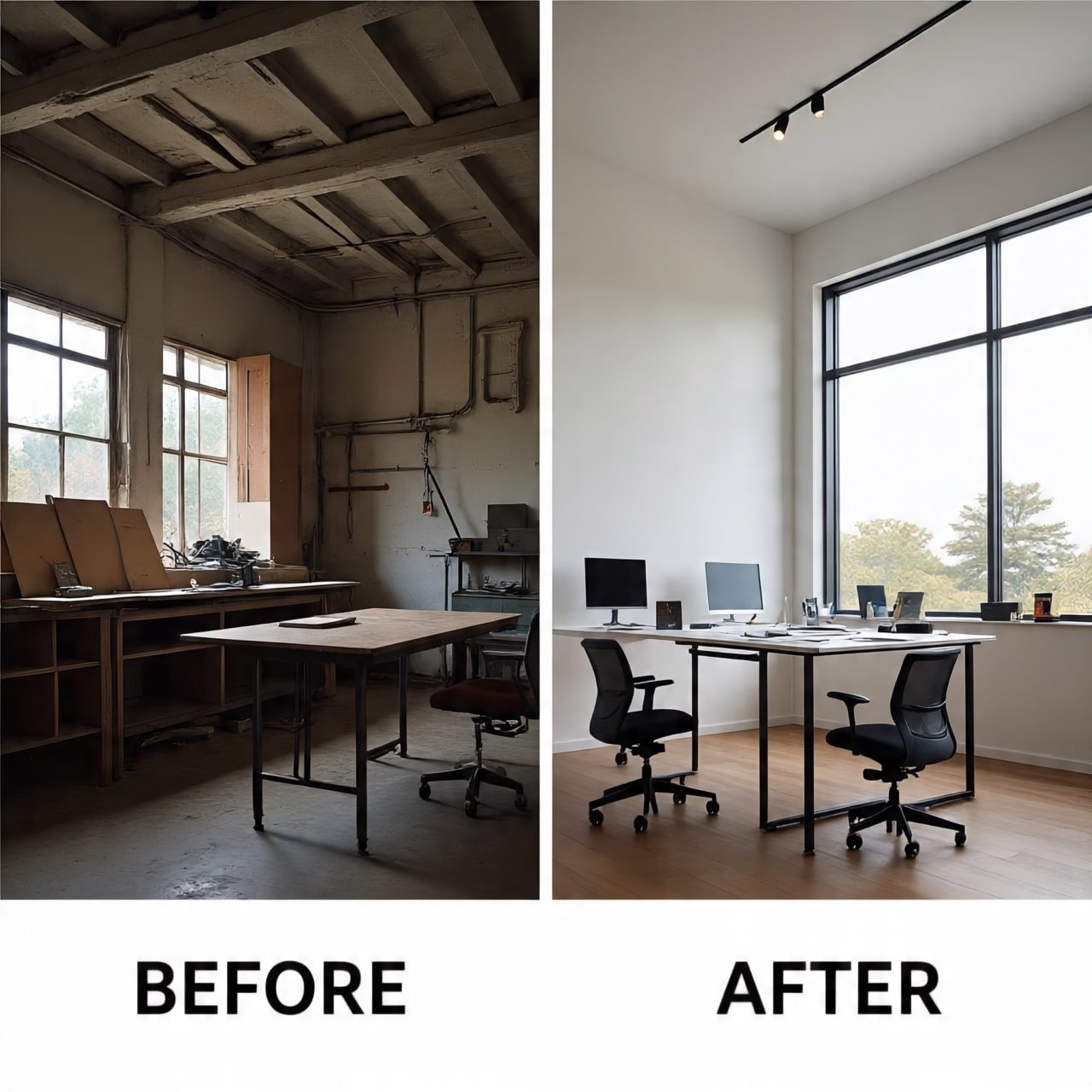
The Foundation – General SEO vs. Design SEO
1. What General SEO Services Really Do
Generalist SEO agencies run the same playbook across industries:
- Keyword research targeting high-volume terms.
- On-page basics (titles, headers, meta tags).
- Content calendars filled with broad blogs.
- Backlinks from generic directories.
- Standard audits for crawlability and site speed.
This works for dentists, SaaS apps, and online shops. But it fails for design studios—because design services aren’t mass-market. They’re personal, aesthetic, and project-based.
Impact if you rely on general SEO:
You’ll rank for “interior designer near me,” but attract price-sensitive shoppers or irrelevant leads. High-value clients searching for “heritage bungalow restoration Mumbai” won’t see you at all.
2. What Makes Design Studio SEO Different
Specialised SEO is built for how design clients search, evaluate, and hire.
- Visual-first optimisation: Images, videos, and portfolios carry more weight than text — start with visual SEO best practices
- Style-driven searches: Clients type aesthetics, not industry jargon.
- Project-based buying cycles: These aren’t impulse purchases. Clients research deeply.
- Authority & trust: Awards, case studies, and team bios matter more than clickbait blogs.
- E-E-A-T alignment: Experience, Expertise, Authority, Trustworthiness—all must show in your site.
Impact if ignored Design SEO:
Your most powerful asset—your portfolio—remains invisible to the clients who value it most.
The Core Differences – Where General SEO Falls Short
Let’s break it down point by point.
1 Keyword Research – Quantity vs. Quality
- General SEO: Chases volume with terms like “architect services” or “interior designer.”
- Design SEO: Targets specific, intent-rich terms:
- “Passive solar home architect Gurgaon”
- “Luxury heritage interior design Goa”
- ”Use client interviews and keyword mapping that ties search to project value"
The Risk: You waste money on traffic that never converts.
Specialist Fix: Research style + location + problem-based keywords, using client interviews as much as keyword tools.
2 Content Strategy – Generic Blogs vs. Transformative Narratives
- General SEO: Publishes “Top 10 Interior Design Trends” or “Why Hire an Architect.”
- Design SEO: Crafts trust-building narratives:
- Case studies (brief → challenge → solution → outcome). Learn how to turn case studies into SEO assets
- Guides answering real client questions.
- Opinion pieces showcasing your design philosophy.
The Risk: Generic blogs get clicks but don’t prove authority.
Specialist Fix: Make content reflect your process, depth, and design perspective.
3 On-Page Optimisation – Text vs. Visuals
- General SEO: Optimizes only text elements (headers, meta).
- Design SEO: Optimizes images and media:
- Alt text: “Custom floating staircase in Art Deco apartment.”
- Schema markup: ImageObject, VideoObject.
- Proper filenames: luxury-villa-design-mumbai.jpg not IMG_1342.jpg.
The Risk: Your visuals—the #1 decision-making factor—never appear in search.
Specialist Fix: Treat visuals as SEO assets, not decoration. For technical image schema and project markup, see technical SEO for image-rich portfolio sites.
4 Technical SEO – Standard vs. Design-Specific
- General SEO: Focuses on basics: speed, crawlability, mobile responsiveness.
- Design SEO: Tailors for heavy visual portfolios:
- Lazy loading + CDNs for global speed.
- Core Web Vitals tuned for image-heavy layouts.
- Schema for “Architect,” “InteriorDesignFirm,” “Project.”
The Risk: Slow load times drive away premium clients instantly.
Specialist Fix: Marry UX + SEO so your portfolio feels fast and fluid on every device.
5 Authority Building – Broad Links vs. Niche Credibility
- General SEO: Gets backlinks from random blogs or business directories.
- Design SEO: Builds authority where it matters:
- Features in ArchDaily, Dezeen, AD.
- Local lifestyle press and design blogs.
- Partnerships with builders, developers, stylists.
The Risk: You look credible in places your clients don’t read.
Specialist Fix: Earn links that reinforce prestige and design authority.
If your SEO agency can’t explain how to optimise a portfolio page—or has never pitched backlinks to design magazines—you’re leaving projects on the table. At Adswom, our Search-to-SQL system was built precisely for this: filtering traffic so only high-fit, style-driven clients land in your inbox.
The Benefits of Specialisation
So why does this matter? Because the right SEO strategy changes the type of inquiries you get.
- Attract High-Value Clients: Fewer leads, but aligned with your style and budget.
- Position as Authority: Be the go-to for luxury residential, boutique resorts, or sustainable interiors.
- Spend Smarter: Avoid wasting budget on irrelevant clicks.
- Map to the Client Journey: Specialised SEO accounts for long decision cycles.
- Stay Ahead of Trends: Visual search, E-E-A-T, and AI are built into the strategy.
General SEO gives you volume. Specialised SEO gives you value.
When to Choose Specialised SEO
Signs You’ve Outgrown General SEO
- You’re getting clicks, but from the wrong audience.
- Your site is stunning but slow—and invisible.
- You rank for “interior design trends” but not for “luxury villa architect Goa.”
- You rely only on referrals and want predictable lead flow.
How to Spot the Right Partner
Ask any SEO provider:
- “Can you show results with architecture or design firms?”
- “How do you optimize portfolios and visuals?”
- “Which design publications do you target for PR?”
- “Do you know Houzz, ArchDaily, Behance—how they impact SEO?”
- “How do you tie SEO directly to inquiries and projects?”
If they can’t answer, they’re not the right fit.
Specialised SEO for Design Studios
What’s the biggest difference between general and design SEO?
General SEO chases traffic. Design SEO attracts qualified clients by optimizing visuals, storytelling, and niche authority.
Why does keyword research matter more for design firms?
Because clients search by style, project type, and location. If you don’t match their language—“Japandi living room Mumbai”—you’ll never get found.
Can general SEO still work?
Yes, but inefficiently. You’ll get clicks, but most won’t convert. Specialised SEO is about ROI, not vanity metrics.
How does design-focused SEO affect brand perception?
It positions you as thoughtful, premium, and credible. Optimized visuals + case studies + press = trust.
How long until results show?
3–4 months for traction. 6 months for consistent qualified leads. SEO is compounding—not instant. see our SEO timelines for design firms
Is SEO necessary if referrals drive most leads?
Yes. Referrals are inconsistent. SEO builds a scalable, predictable pipeline so your growth doesn’t depend on chance.
How is SEO different for luxury vs. budget firms?
Luxury SEO targets exclusivity—keywords like “heritage restoration” or “luxury villa design.” Budget SEO often targets affordability. Strategy must align with your market.
Outside Google, what platforms matter?
Houzz, Behance, ArchDaily, Pinterest. These influence rankings and where clients browse. Specialised SEO integrates them.
Design Your Online Future with Precision
In design, one size never fits all. The same is true in SEO.
Generic SEO may give you traffic—but specialised SEO builds authority, trust, and the right kind of demand. If you want clients who value your aesthetic and can afford your expertise, you need a strategy tailored for design.
At Adswom, we created the Search-to-SQL framework to do exactly this: align your studio’s visibility with high-intent, style-driven clients.
Ready to attract fewer—but better—clients?
👉 Start with your Free Visibility Diagnostic.
We’ll show you exactly what’s blocking your SEO performance and map out a clear plan to grow with purpose.